
Create Scene from the timeline allows you to quickly create a new scene by clipping a portion of an existing scene directly from the timeline. This is especially useful for longer videos or when you want to apply different visual elements to specific portions of your video.
Instead of creating a new scene from scratch, you can select the section you want to use and turn it into a separate scene for additional editing and customization.
When to Use This Feature
Creating a new scene from the timeline is useful when you want to:
Break a longer video into smaller, more manageable scenes.
Apply different layouts, graphics, or visual elements to specific sections of a video.
Highlight a particular moment or segment without changing the original scene.
Add variety by customizing different sections independently.
How to Create a New Scene from the Timeline
Select the original scene to clip in the storyboard.
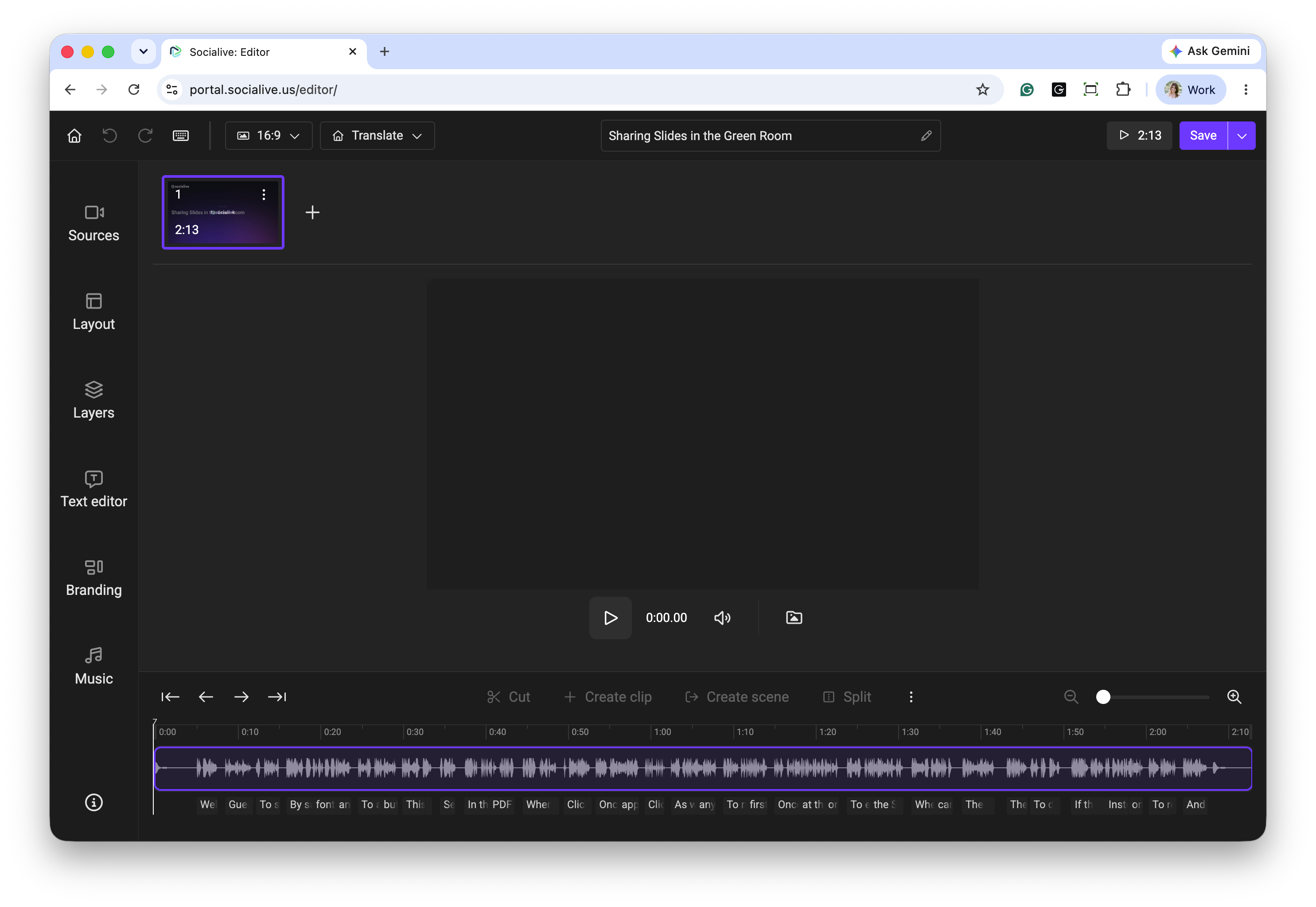
Identify the portion of the scene you want to turn into a new scene.
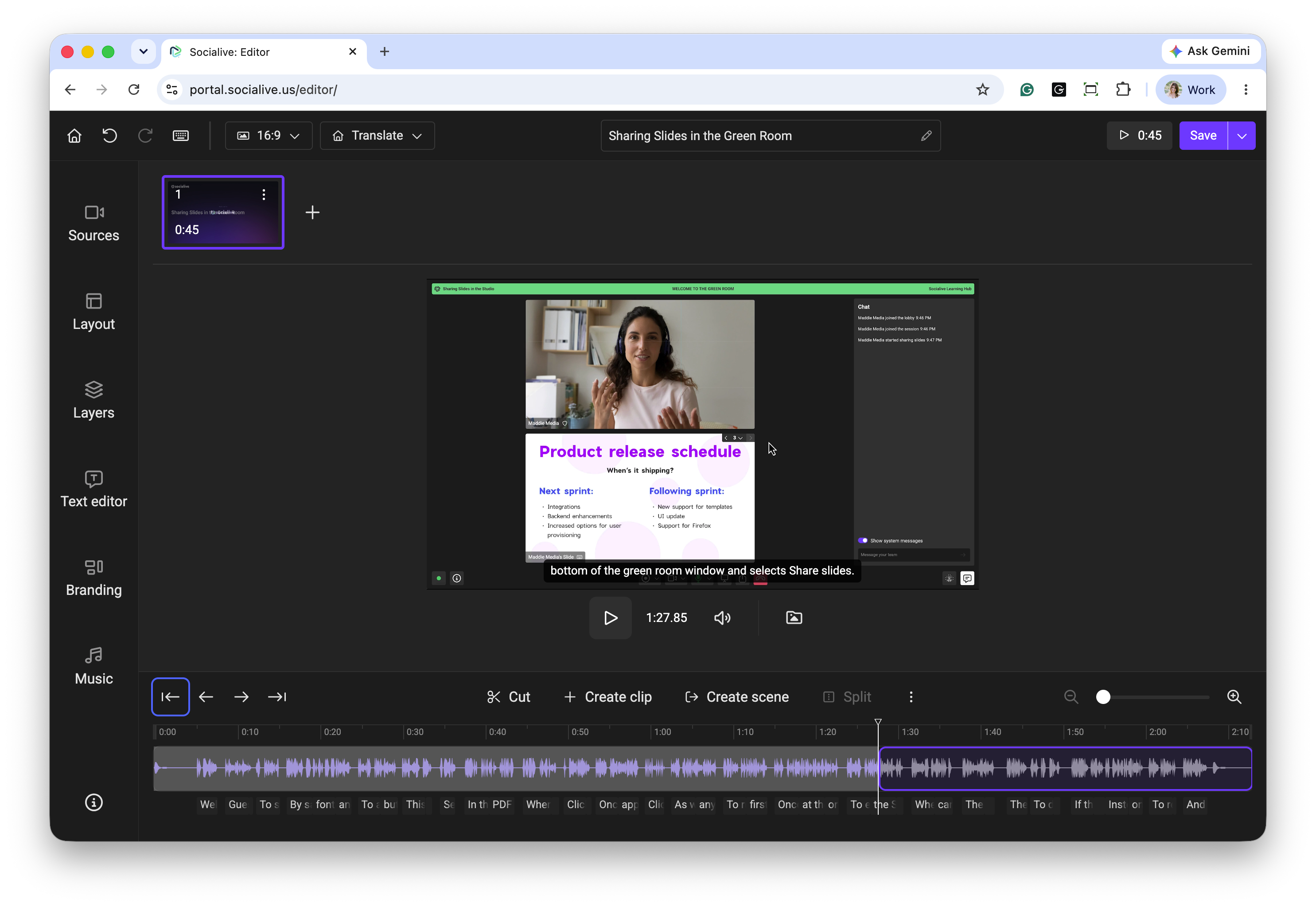
Select the desired section by clipping the portion directly from the timeline using the available timeline controls. You can do this by highlighting the clip in the text editor or splitting the WAV file in the timeline.
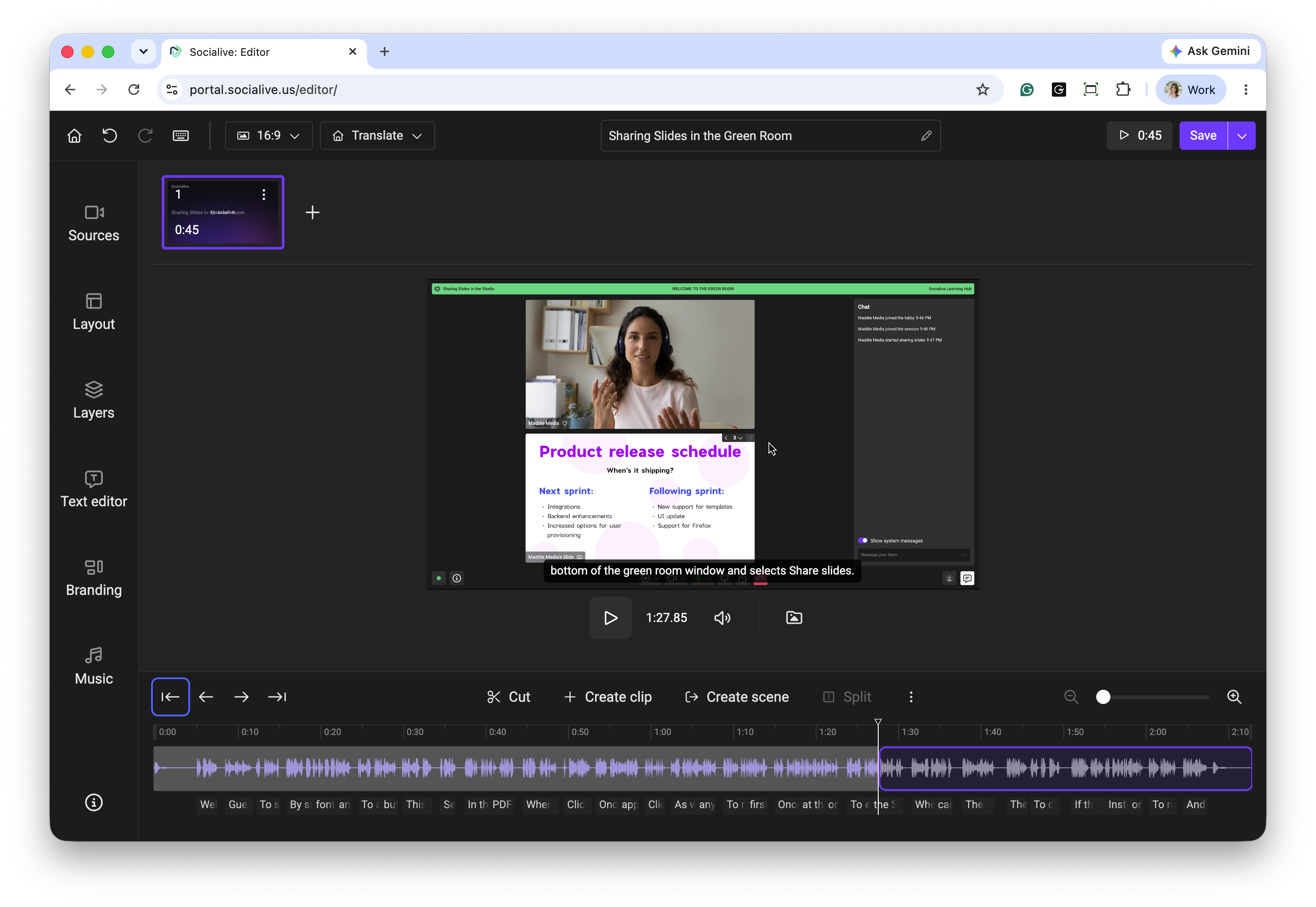
Click Create Scene.
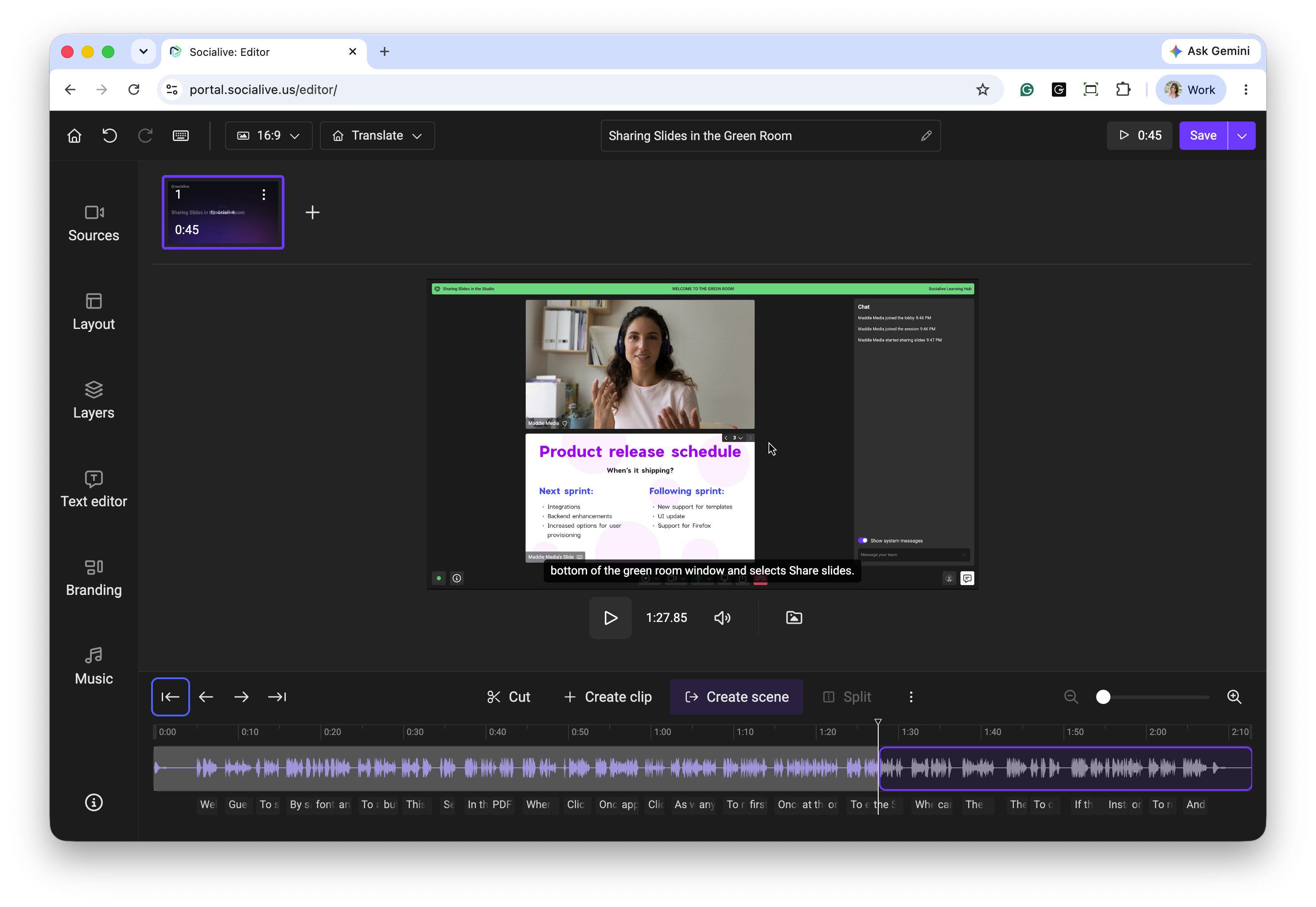
The new scene will be created from the selected portion.
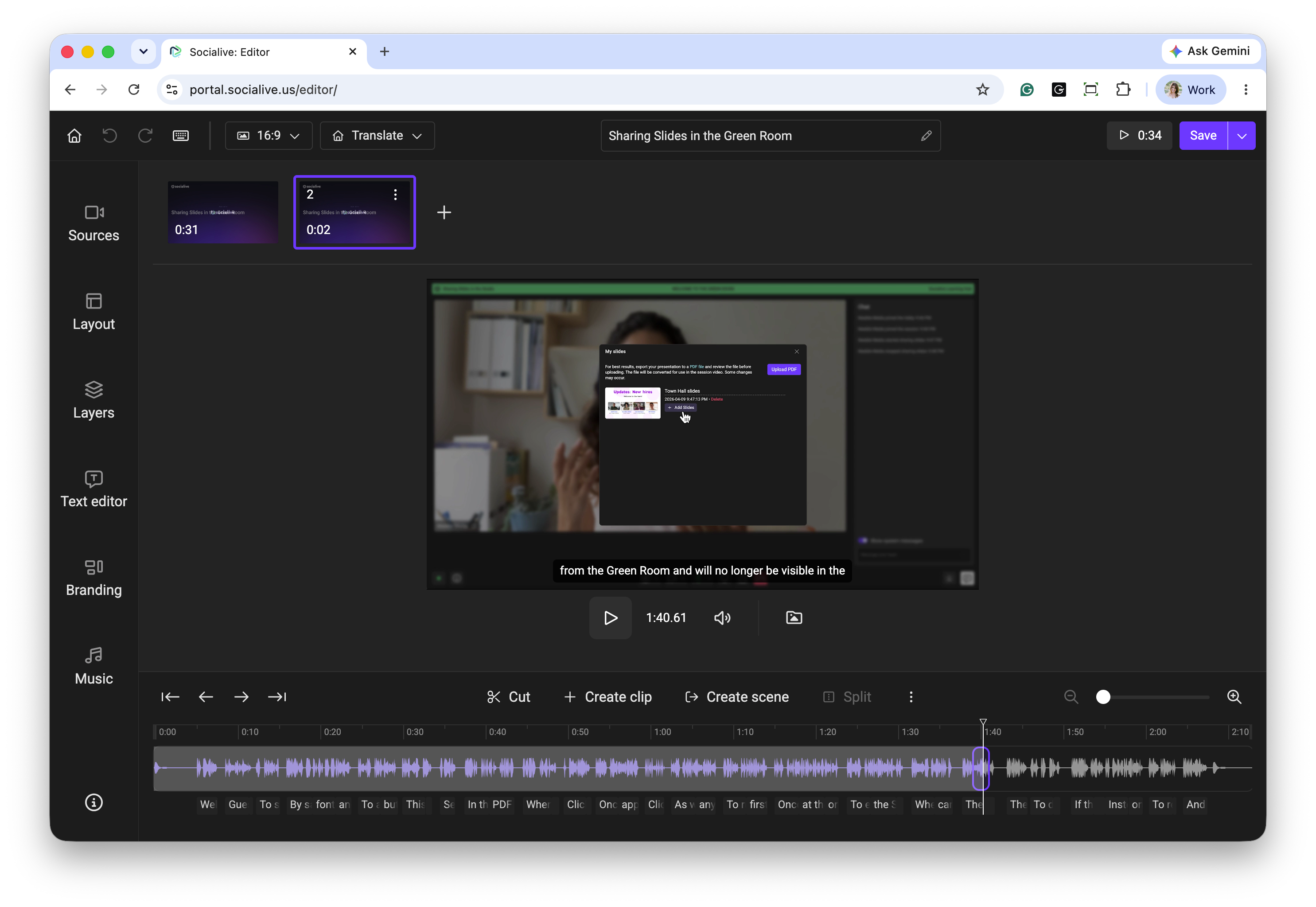
Customize the new scene as needed by adjusting its layout, adding graphics, or applying other visual elements.
Preview your video to ensure the new scene flows smoothly with the surrounding content.
Best Practices
Plan your scene breaks: For longer videos, consider dividing the content into sections based on topic, speaker, or key moments.
Use different visual elements strategically: Apply graphics, layouts, or other visual treatments to emphasize important content.
Preview your edits: Review transitions between scenes to ensure a consistent and polished viewing experience.
Creating a new scene from the timeline is a quick and efficient way to reuse a portion of an existing scene in the Socialive Editor. It helps streamline editing, especially for longer videos, and makes it easier to apply different visual elements to specific sections of your content.
Still, looking for an answer?
Contact Socialive Support via live chat, email at support@socialive.us, or submit a support ticket.