
Great audio can make or break your video. That’s why we’re introducing the latest Studio Voice enhancement with three preset levels, giving you more control over how your recordings sound, no matter your environment.
What’s New
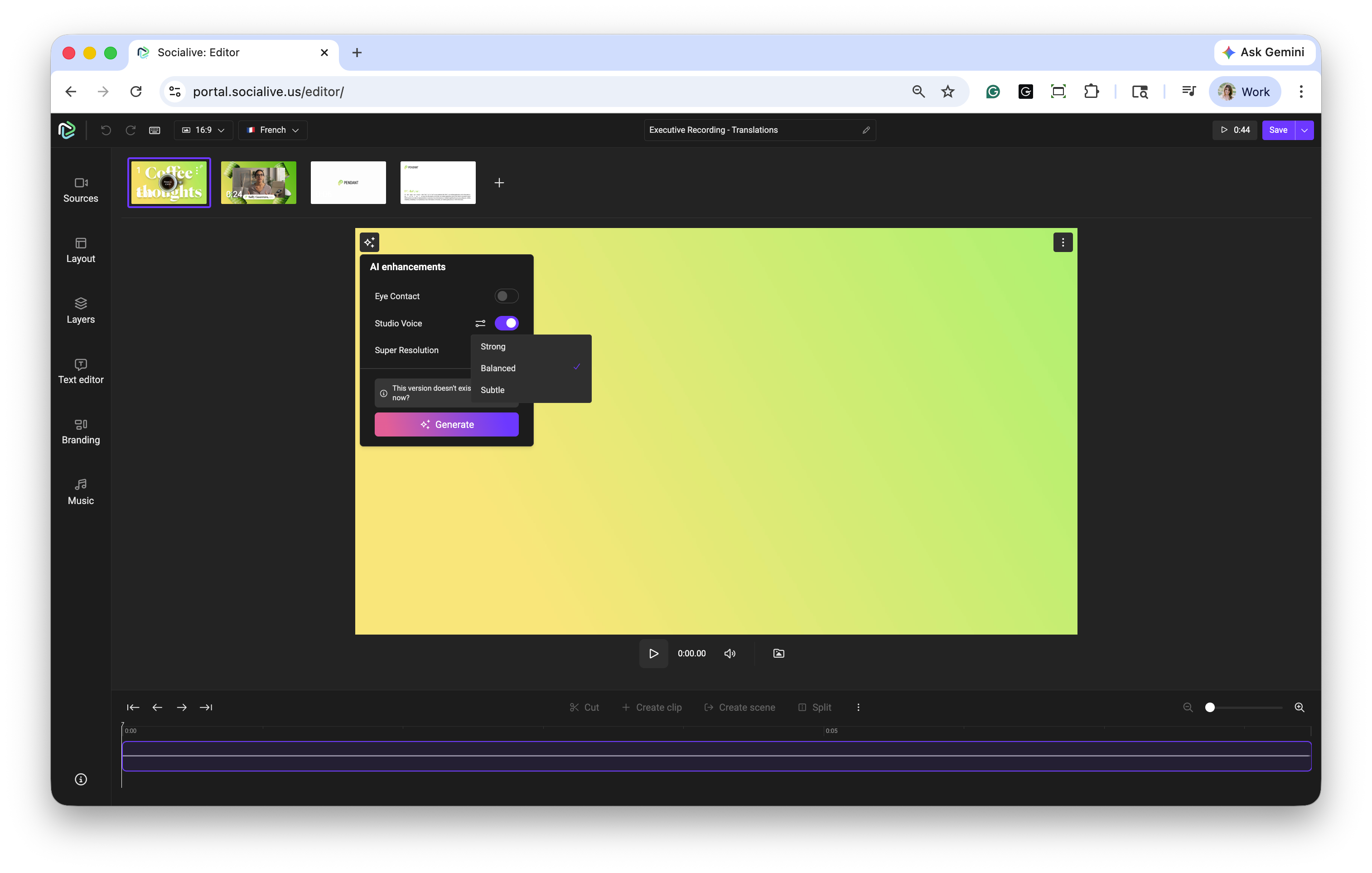
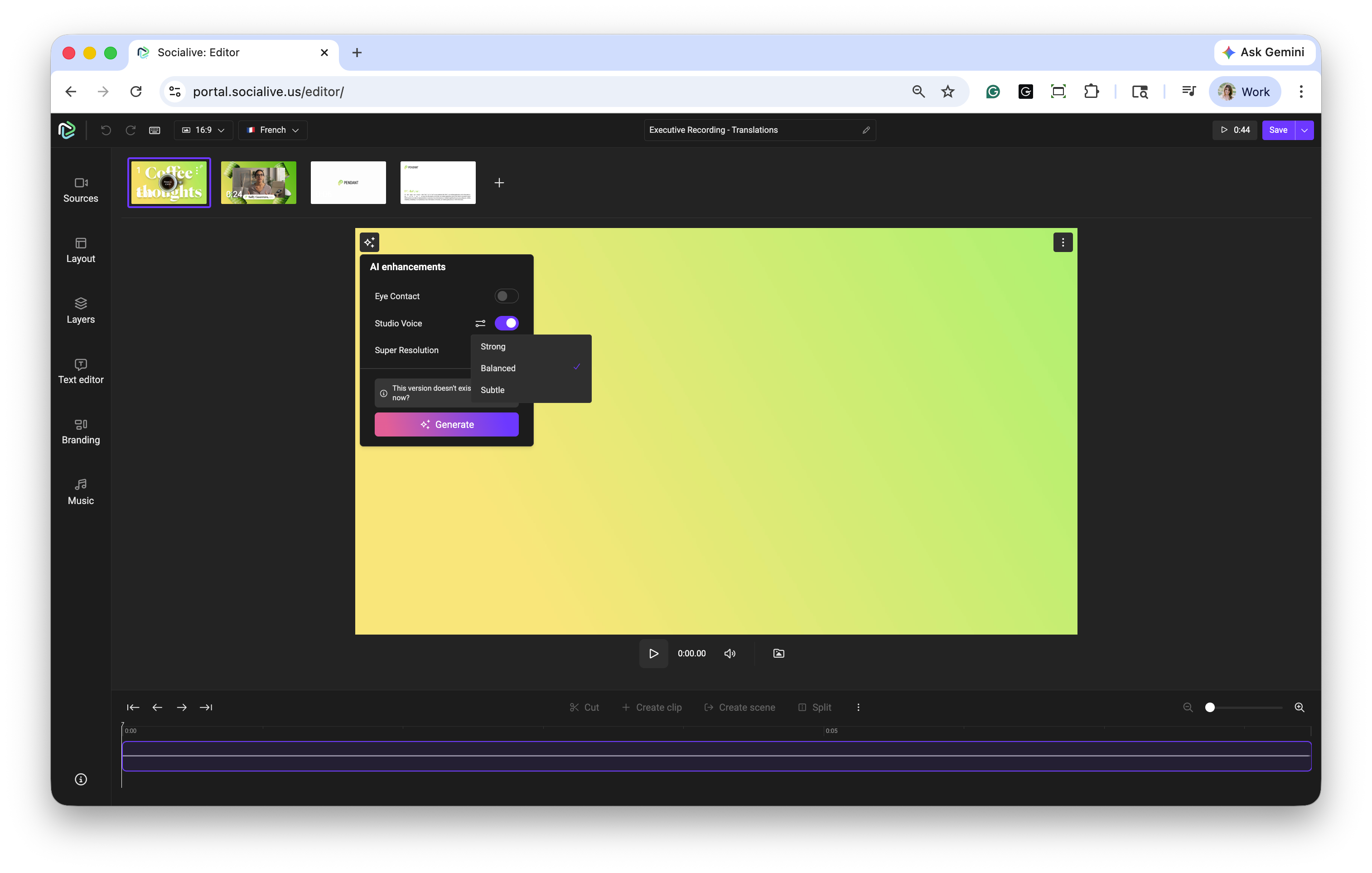
You can now choose the level of your Studio Voice enhancement to apply to your recording. Whether you want a light polish or a fully refined, studio-quality sound, you’re in control.
Choose the Right Level for Your Recording
Subtle: Applies a light touch of audio enhancement, smoothing out minor background noise while preserving your voice's natural tone. Ideal for recordings captured in quiet environments that require only minimal cleanup.
Balanced: Applies a moderate enhancement, reducing background noise and improving vocal clarity without significantly altering the character of your audio. This is a great option for most recordings.
Strong: Applies the highest level of enhancement, delivering a clean, polished sound similar to a professional studio recording. Best suited for noisier environments or recordings that need more intensive cleanup.
What This Means for You
More Control, Better Sound: Tailor audio enhancements to fit your recording conditions and desired output.
Consistent Quality Across Environments: Whether you’re recording in a quiet office or a busy setting, Studio Voice helps ensure your audio remains clear and professional.
Simple, Flexible Workflow: Easily select the level of enhancement without needing additional tools or post-production expertise.
With this latest Studio Voice enhancement, achieving high-quality audio is simpler than ever, so you can focus on delivering your message with confidence.
Still, looking for an answer?
Contact Socialive Support via live chat, email at support@socialive.us, or submit a support ticket.