
We’re excited to introduce Versions for AI-enhanced videos, making it easier to organize, manage, and navigate multiple iterations of your content, all in one place.
What’s New
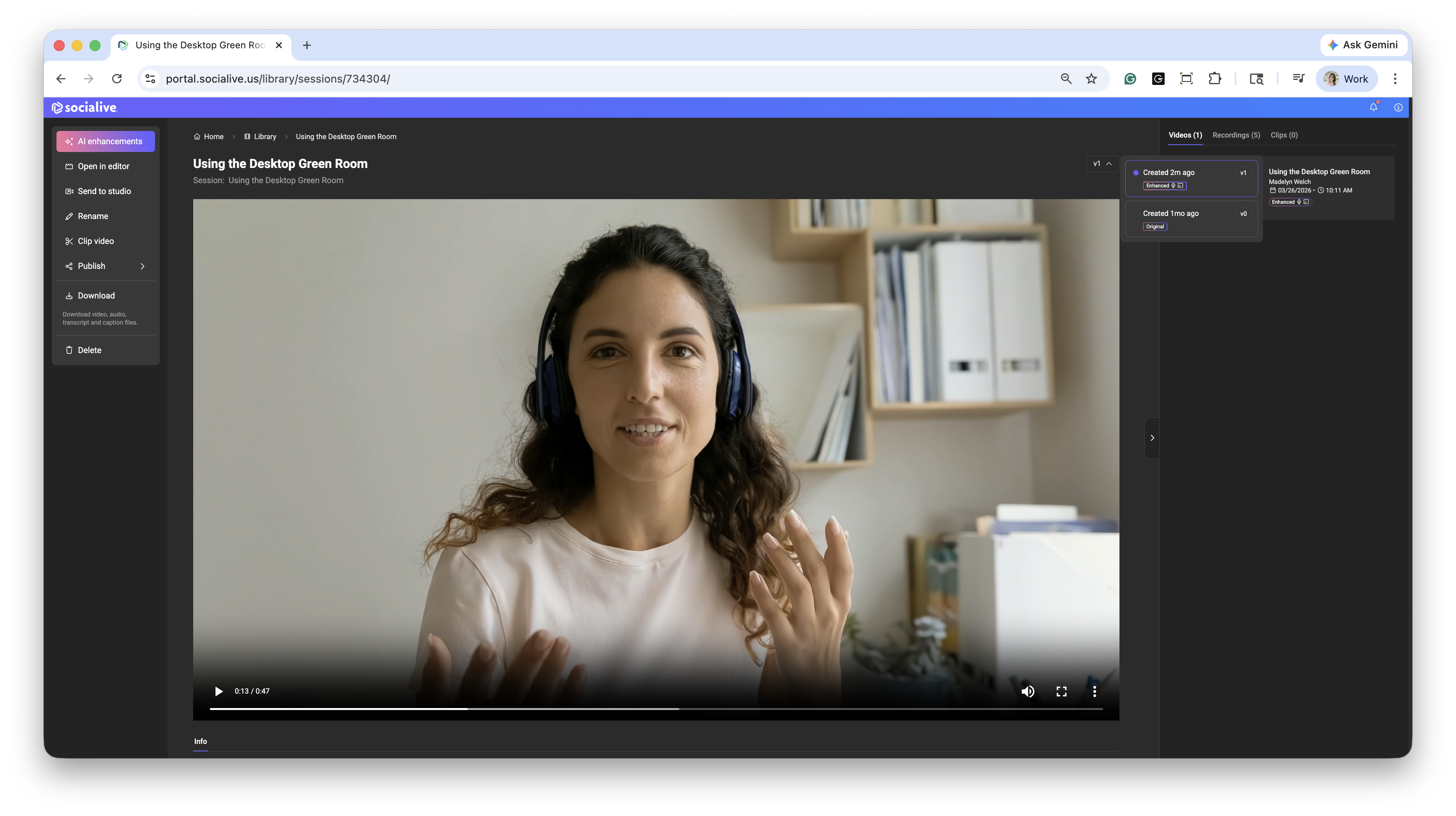
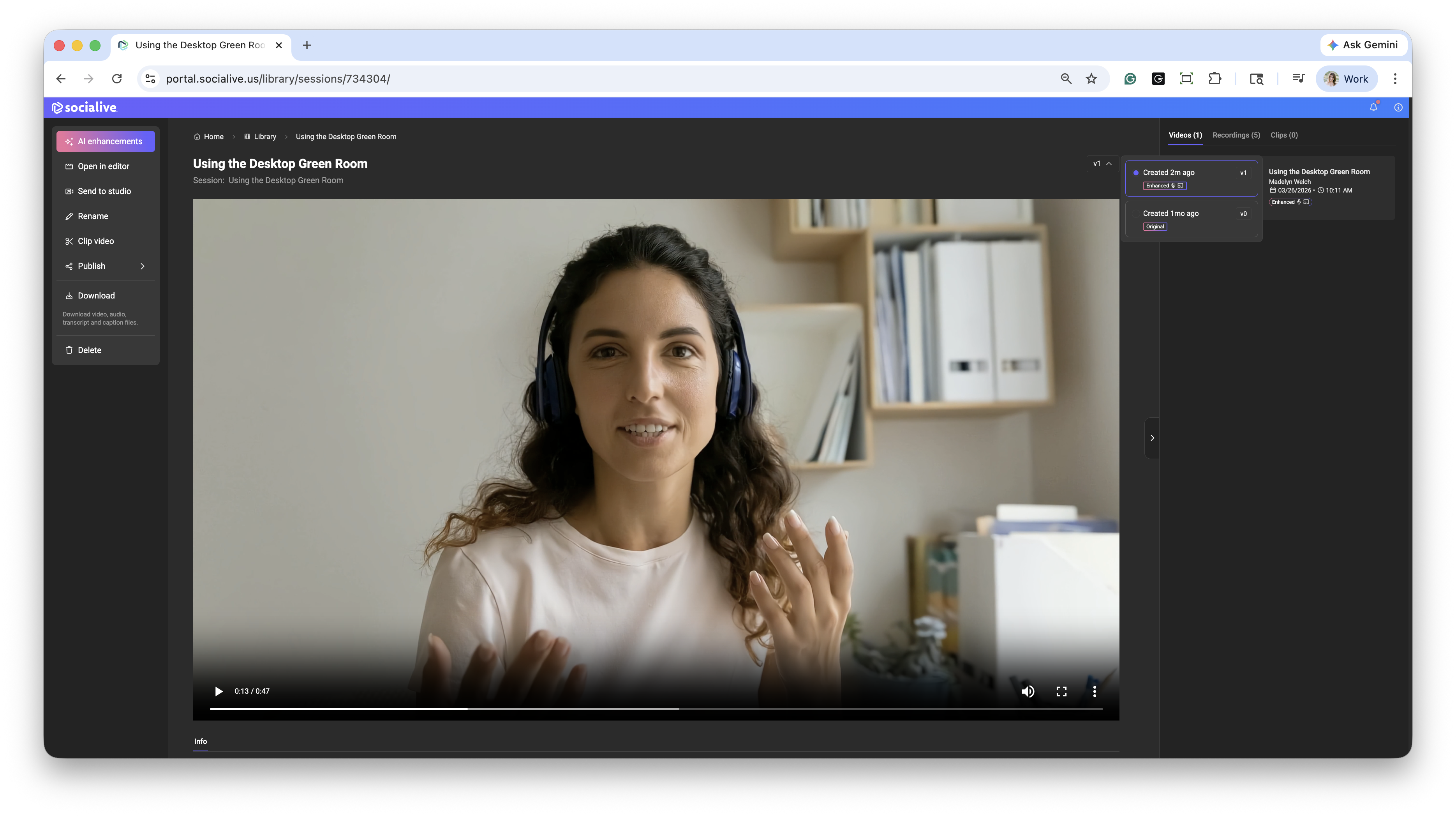
With Versions, all AI-enhanced iterations of a video are now consolidated into a single video thumbnail. Instead of seeing multiple entries for each variation, you’ll have a single unified view that lets you switch between versions as needed.
What This Means for You
One Video, Multiple Versions: AI-enhanced videos are now grouped into a single thumbnail in the Library, reducing clutter and making it easier to find what you need.
Version Selection Controls the View: When you select a version, it updates both:
The thumbnail displayed in the Library
The content shown on the video details page
Shared Across Users: The selected version is not just a personal view; it becomes the default version displayed to all users in your account who have access to the Space.
How This Applies to Existing Content
We’ve retroactively applied Versions to AI-enhanced videos created before this feature was released:
Previously enhanced videos are now grouped into a single thumbnail
The most recent version is set as the default
You can switch between versions at any time using the version selector
This update ensures a consistent experience across all your AI-enhanced content, past and present, while giving you more control over how your videos are organized and presented.
Still, looking for an answer?
Contact Socialive Support via live chat, email at support@socialive.us, or submit a support ticket.